ATTENDING: Tom B, Jerry L,
Larry T, Dorothy E, Bob G.
TOPIC: UNDER
THE HOOD (How to replace / backup your Hard Drive)
We all watched with awe as
Jerry dissected his MacBook Pro and removed its heart..hard drive.
We were even more amazed that he got it it all back together and it
worked - - - actually just a couple screws and cover to change the
HD. Those Apple engineers are good. See Jerry's special
tools.
Drive
Genius - great disk-maintenance / repair / cloner utility recommended
by Jerry ($99) - 10.5.3 or higher
How
A HD Works (The Engineer Guy) - 5min video for those who need
to know the details
iStat
Menus - a set of 8 separate and highly configurable menu extras
that let you know exactly what’s going on inside your Mac.
View realtime stats for CPU, Network, Date & Time, Disk Usage,
Disk Activity, Sensors (fans
& temperatures), Memory and Battery. Each menu extra comes with many
different display modes, customizable colours, font sizes and widths.
BackupLoupe $5
shareware - allows you to answer questions like:
---Why does Time Machine take so long to back up my files?
---Which files are actually being backed up?
---Has a particular file/folder been backed up at all?
---How many revisions of a file/folder exist in Time Machine?
---A file/folder was deleted accidentally. When did this happen and where
is the latest backup?
---Is my backup drive big enough? Should I consider buying a larger one?
And if yes, when?
Carbon
Copy Cloner - FREE backup utility - 1.9MB download - make a complete
bootable copy of your entire hard drive
TIP -
boot up from your backup clone by holding down 'Option' key when restarting.
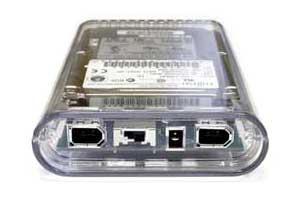
'On-The-Go' FireWire/USB
HD enclosure $65 from OWC (Other
World Computing) - transfer 50MB/sec - for 2.5 inch laptop hard drives.
Just buy a hard new drive to match the one in your Mac and clone a
bootable copy of your entire HD. OWC has 120GB HD for as little as
$60!
-
fantastic detailed tutorials show how-to fix or upgrade your Mac.
IN THE NEWS
iCloud -
Apple to drop MobileMe in June 2012 but no mention of website hosting
capability (iDisk)
Safari
sluggish? (especially if you're using 10.4 Tiger, an older
mac or a dial-up connection)----In Safari Prefs>Security uncheck 'Enable
Plug-ins' - this will speed up website interaction tremendously.
If a site says you need Adobe Flash Player to view video, just re-enable
Safari Plug-ins. See more here.


 TOPIC: UNDER
THE HOOD (How to replace / backup your Hard Drive)
TOPIC: UNDER
THE HOOD (How to replace / backup your Hard Drive)


 '
'
 Safari
sluggish? (especially if you're using 10.4 Tiger, an older
mac or a dial-up connection)----In Safari Prefs>Security uncheck 'Enable
Plug-ins' - this will speed up website interaction tremendously.
If a site says you need Adobe Flash Player to view video, just re-enable
Safari Plug-ins. See more
Safari
sluggish? (especially if you're using 10.4 Tiger, an older
mac or a dial-up connection)----In Safari Prefs>Security uncheck 'Enable
Plug-ins' - this will speed up website interaction tremendously.
If a site says you need Adobe Flash Player to view video, just re-enable
Safari Plug-ins. See more